
Fareed Mohmed · Engineering
Safety Fence System Guide
Robot-cell guarding: the parts, the brands, the rules and the checks.
A safety fence stops people from reaching a robot or machine while it moves. This page shows what the system is made of, how the parts work together, which brands supply each part, what the standards and the law ask for, and gives quick calculators for the numbers a designer has to check.
This page helps a design team learn the subject and find the right questions. It is not a risk assessment, and it does not replace the standards, the supplier’s instructions or a competent safety engineer. Machine safety depends on the whole machine and its use, so the final design must be assessed and validated.
Start Here: How a Safety Fence Is Designed
A safety fence is more than mesh. It is a guard, a way to get in and out, and the devices that stop the machine safely. These six steps give the order. Read them once, then use sections 01 to 05.
Do the risk assessment first
List every hazard in the cell: robot reach and speed, tool and payload, pinch and crush points, ejected parts, heat, noise. Decide who goes in, how often and why. The fence follows from this and not the other way round (ISO 12100).
Choose the guarding concept
Fixed fence where nobody needs to enter, an interlocked door where they do, a light curtain or scanner where access is frequent. Section 02 compares them.
Compare the concepts in section 02 →Lay out the fence and the distances
Keep the fence outside the robot’s reach and the limited (restricted) space. Then check mesh opening, guard height and safe distance for every opening.
Check your numbers in section 04 →Pick the fence system and components
Choose panels, posts, doors and fixings from one system where you can. A guard system from one maker has tested panels, clamps and posts that work together.
See the components in section 03 →Pick the interlocks and the safety control
Door locks, E-stops, light curtains and scanners all report to a safety relay or controller. Set the performance level from the risk assessment (ISO 13849-1).
Validate, mark and document
Test every safety function, measure the real stop time, fit the safety signs, and keep the records. Re-test on a schedule.
Use the checklist in section 05 →Common mistakes
The Cell at a Glance
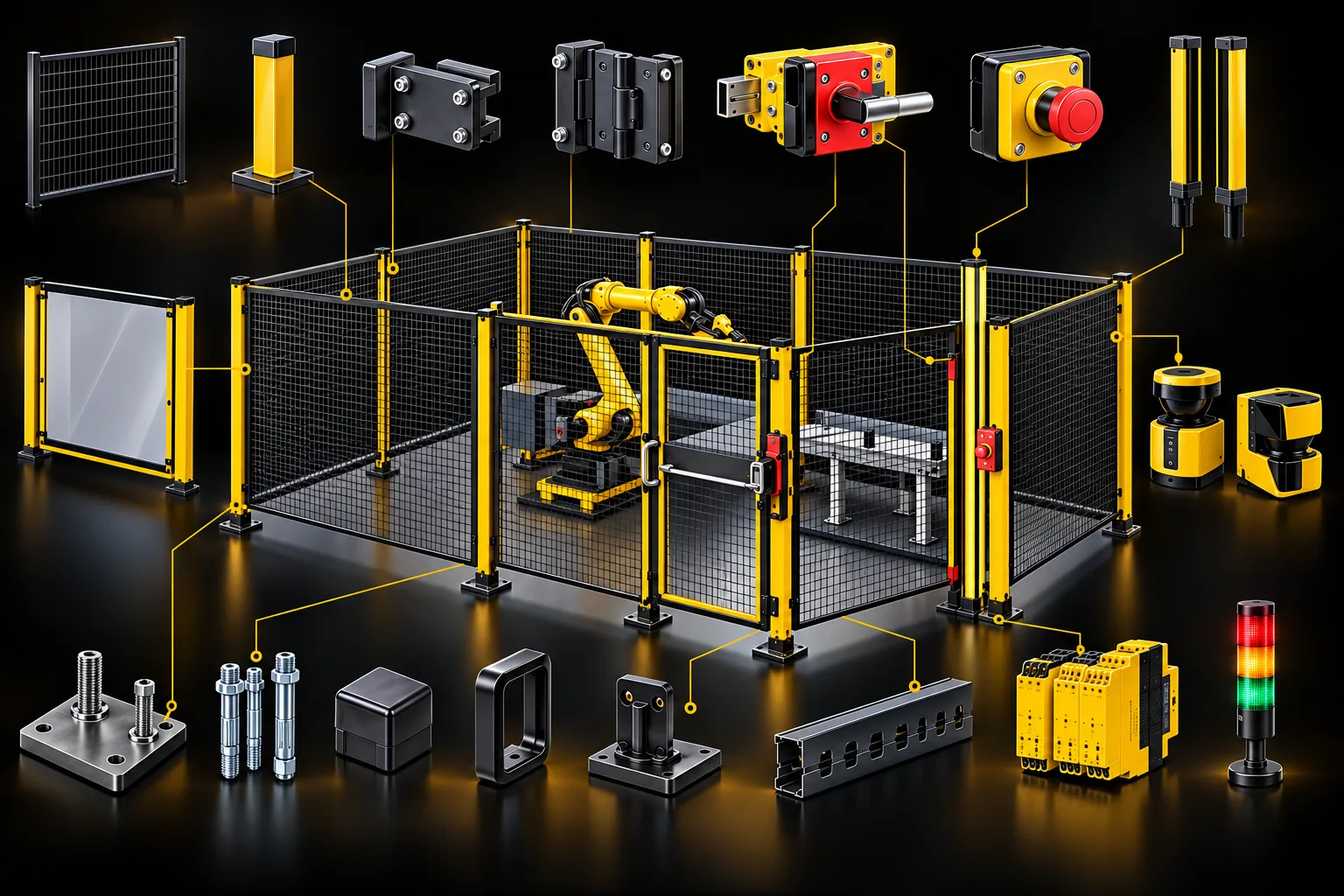
Numbered parts sit around a typical robot cell. Tap a number to open that part below. The cell has a mesh fence on yellow posts, one interlocked gate, E-stops at the gate and inside reach of the operator, a light curtain on the loading side, a floor scanner, and a safety controller that watches all of them.
How the parts work together
The fence and its posts keep people out. The gate is the one way in, and its interlock tells the safety controller when it opens. The controller then stops the robot safely and, on a locking gate, keeps the door shut until the robot has stopped. The light curtain and scanner protect the sides where people must reach in. E-stops can be pressed from any station, and the stack light shows the state.
A safe stop, step by step
1) A device sees a person or an opening. 2) The safety controller removes the permission to move. 3) The robot brakes to a stop. 4) A locking gate stays shut until the robot has stopped. 5) A reset by a person, in view of the cell, is needed before the robot can run again.
Choose the Guarding Concept
Pick the simplest method that matches how often people need to enter. You can mix them: for example a fixed fence on three sides and a light curtain on the loading side.
| Concept | Use when | Good | Watch out |
|---|---|---|---|
| Fixed fence, removable only with a tool | Nobody enters while the cell runs, or only for service | Simplest and cheapest to keep safe; no electronics to fail | Service access needs a plan; the fence must be strong enough for the hazard |
| Interlocked door | Operators or maintenance enter at times | Stops the machine when the door opens; cheap and well understood | The machine must stop before a person can reach it, or the door needs a lock |
| Interlocked door with guard locking | The machine keeps moving for a while after the stop command | Door stays shut until the hazard has stopped | Needs an escape release inside; a power-to-lock design releases on power loss |
| Light curtain | Frequent access, such as loading a part on a station | Fast and comfortable for the operator | Safe distance needed; a person can stand behind the beams unseen; needs a restart interlock |
| Laser scanner | Open sides, AGV entries, wide areas | Flexible fields; slows or stops by zone | Sees only one plane; set up and check the fields carefully |
| Enabling device on a teach pendant | Teaching or setting inside the cell | The person keeps the robot under control by holding the switch | Manual reduced-speed mode only; follow the robot standard for limits |
| Collaborative operation | People and robot share space in the application | No fence needed if the application passes the limits | Needs force and speed limits to ISO 10218-2:2025 (which now includes ISO/TS 15066); the whole application is assessed, not just the robot |
Components, Brands and What to Check
17 components in four groups. Open one for what it does, what to check when you choose it, the standards behind it, and the brands to approach. The brand names are the ones on your guide image. Availability and local support differ by brand, so ask the distributor.
Physical guarding
The fence itself: panels, posts, the brackets that join them, and the floor fixing.
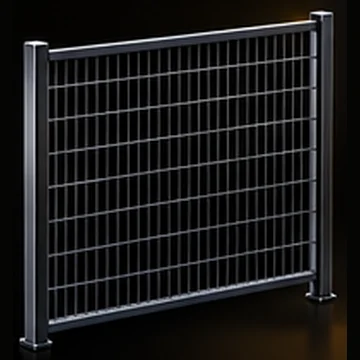 1Fence panelMesh panel for machine guardingSATECHTROAXitemSchmersal
 MISUMInVent HOFFMAN
Welded wire mesh (or perforated or solid sheet) that forms the barrier between people and the hazard. Usually powder-coated steel, in standard widths that bolt between posts.
What to check when you choose it
- Opening size of the mesh against the distance to the hazard (ISO 13857, see the calculator in section 03)
- Panel height: 1400 mm is the lowest height ISO 13857 accepts without extra measures, and 2000 mm or more is common for robot cells
- Strength to contain ejected parts or a falling workpiece: ask the maker for impact test data to ISO 14120
- Wire diameter and finish for the plant: washdown, welding spatter, outdoors
- Floor gap under the panel: keep it small (180 mm is the usual limit, so a foot cannot reach the hazard)
Standards: ISO 14120, ISO 13857
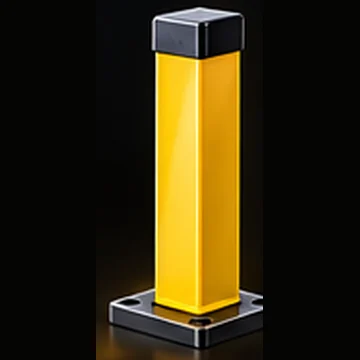 2Fence postPost with base plate for panel mountingSATECHitemTROAXMISUMInVent HOFFMAN
The upright that carries the panels and gates. A steel section with a welded base plate and a slot or flange for panel clamps.
What to check when you choose it
- Height to match the panel plus the floor gap
- Post spacing set by the panel width, with corner and end posts where the line turns
- Section stiffness for the impact load the guard must take
- Base plate size and hole pattern for the floor anchors
- Extra posts either side of a gate, because the gate loads them
Standards: ISO 14120
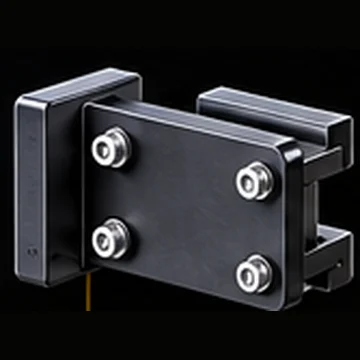 3Panel clamp or bracketFor connecting panel to postitemMISUMISATECH
The bracket that fixes a panel to a post. It must hold the panel against impact and must not let anyone take the panel off.
What to check when you choose it
- Fixing that needs a tool to remove (ISO 14120 treats this as a fixed guard)
- Fasteners that cannot be reached from outside the guarded area, or one-way (tamper-resistant) screws
- Strength matched to the panel and the impact
- Slotted holes where the panels need to be levelled
Standards: ISO 14120
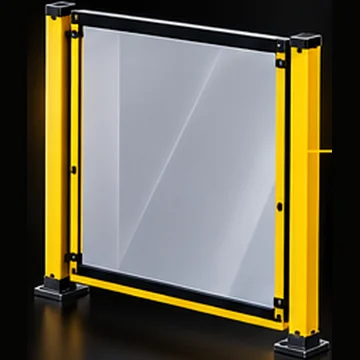 4Polycarbonate panel (optional)Solid panel for spatter and dust protectionTROAXSATECHitemnVent HOFFMANMISUMI
A clear or tinted solid panel in the fence frame. Used where the process must be seen, or where spatter, chips, coolant or dust must be held in.
What to check when you choose it
- Thickness and grade chosen from the maker’s impact data, not by eye
- Resistance to the coolant, oil and cleaners in the cell (polycarbonate cracks with many of them)
- Scratch-resistant coating and UV grade for long life
- Laser processing needs a panel rated for the laser wavelength and power; ordinary polycarbonate is not enough
- Frame or clamp that holds the full edge of the sheet
Standards: ISO 14120
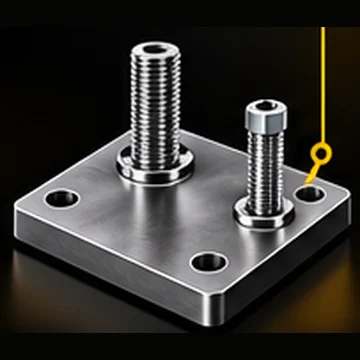 5Base platePost base with anchor bolts for floor mountingitemMISUMISATECH
The steel plate welded to the foot of a post. It spreads the load into the floor and carries the anchor bolts.
What to check when you choose it
- Plate thickness and size for the overturning moment from an impact on the panel
- Hole pattern and slot size for the anchors you choose
- A means of levelling (shims or levelling feet) on an uneven floor
- Space to fit and tighten the anchors
Standards: ISO 14120
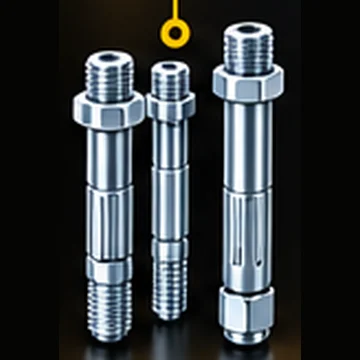 6Anchor boltFor fixing posts to floorHILTIfischerSORMAT
The fixing between the base plate and the concrete. Mechanical (wedge or sleeve) anchors or bonded (chemical) anchors.
What to check when you choose it
- Concrete strength, slab thickness and whether it is cracked
- Edge and spacing distances from the anchor maker’s data
- Pull-out and shear loads taken from the maker’s design data for your base plate
- Anchor diameter and embedment depth to match
- Tightening torque and a check after installation
Standards: Anchor maker’s approval and design data
 7Post capTop cover for postitemMISUMISATECH
A plastic or steel cover on the top of the post. It closes the tube so there is no sharp open edge and no dirt falls in.
What to check when you choose it
- Fit to the post section
- Colour to match the guard
- Fixing so it stays on
Standards: ISO 12100 (no sharp edges)
Access
The door through the fence: hinge, handle and stop. These decide whether the interlock stays aligned and whether a person can get out.
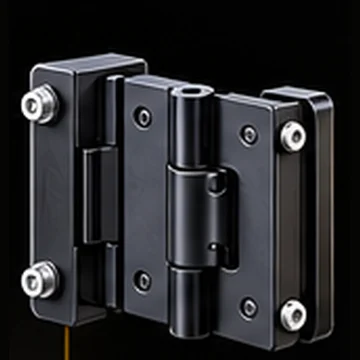 8Gate hingeHeavy duty hinge for access doorSOUTHCOEMKAROCAitem
The hinge that hangs an access door on a post. Heavy-duty so the door does not sag and the interlock stays aligned.
What to check when you choose it
- Door weight and size, and how often it opens
- Hinge pins that cannot be lifted out from outside
- Adjustable so the door can be aligned with the interlock switch
- Stop angle, so the door opens clear of the robot’s path
- Some hinge types can carry the position switch inside the hinge
Standards: ISO 14119, ISO 14120
 9Door handleErgonomic handle for access doorEMKASOUTHCOROCAitem
The handle used to open the access door from outside. Inside the cell there must also be a way to open the door without a tool.
What to check when you choose it
- Pull handle outside; an internal release or escape handle inside
- Handle shape that is not easy to snag
- Position and height that suit the operator
- Material and finish to match the guard
Standards: ISO 14119, ISO 14120
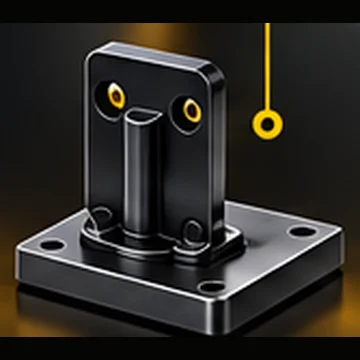 10Door stopperKeeps door in open or closed positionitemMISUMISOUTHCO
A catch that holds the door in a set position, either held shut or held open against a wall.
What to check when you choose it
- Holds the door clear of the robot path when open
- Floor, wall or post mounting
- Resists being knocked or blown shut
- Strength for the door weight
Standards: ISO 14119
Safety devices
The parts that detect a person or an opening and make the machine stop safely.
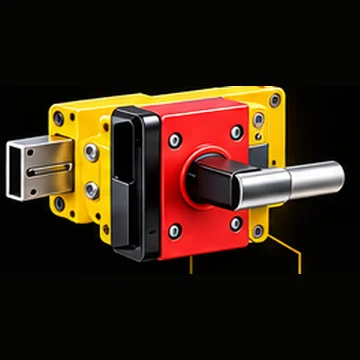 11Safety door lock (interlock switch)Interlock switch with latch and handleSCHMERSALEUCHNERPILZ
 OMRON
OMRON
An interlocking device that stops the machine when the door opens. A locking version also keeps the door shut until the hazard has stopped.
What to check when you choose it
- Type under ISO 14119: type 1 and 2 are mechanical, type 3 and 4 are non-contact; type 2 and 4 are coded
- Coding level: high (over 1000 codes) makes it hard to defeat with a spare actuator
- Guard locking when the machine takes longer to stop than a person takes to reach the hazard (see the calculator)
- Spring-locked (power to release) holds the door on power loss; power-to-lock releases it on power loss, which suits rooms where a person could be trapped
- Performance level to match the risk assessment
- Escape release inside the cell
Standards: ISO 14119, ISO 13849-1, ISO 10218-2
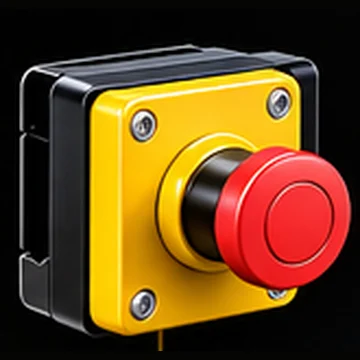 12Emergency stop (E-stop)Mushroom push button
 Schneider ElectricOMRON
 ABB
ABB SIEMENSIDEC
A red mushroom button on a yellow background. Pressing it latches and stops the machine and removes the energy.
What to check when you choose it
- Put one at each access door, at the operator station and on any pendant
- Latching, with direct-opening contacts
- Stop category: category 0 removes power at once, category 1 brings the drive to rest first, then removes power
- Releasing the button must not restart the machine; a separate reset is needed
- Reachable and not hidden
Standards: ISO 13850, IEC 60204-1, IEC 60947-5-5
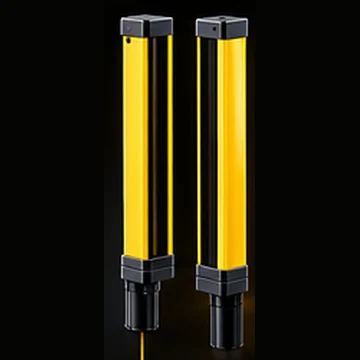 13Safety light curtainPresence detection at entry or exit
 SICKOMRON
 KEYENCE
 Leuze
Leuze PanasonicSchmersal
A pair of posts that form a wall of infrared beams. A person breaking the beams stops the machine. It is used where people enter often, such as a loading side.
What to check when you choose it
- Detection capability (resolution): 14 or 30 mm for fingers and hands, 40 mm and over for arms and bodies
- Protected height to cover the hazard height
- Safe mounting distance from the hazard (ISO 13855, see the calculator)
- Type 4 (the safest) or type 2, set by the risk assessment
- Manual reset after it is cleared, and a restart interlock
- Muting if material must pass through, with care for the muting design
Standards: IEC 61496, ISO 13855, ISO 13849-1
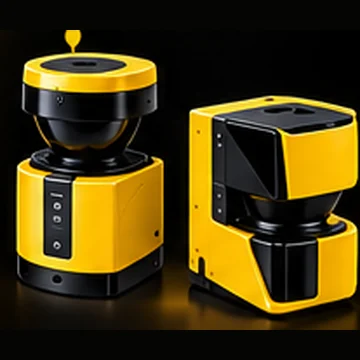 14Safety laser scannerArea monitoring for robotic cellsSICKOMRONKEYENCELeuze
A scanner that sweeps a horizontal fan over the floor. It watches a protective field (which stops the machine) and a warning field (which slows or warns).
What to check when you choose it
- Protective field shape and size, set in software
- Detection capability, often 30 mm to 70 mm for a leg
- Mounting height and shadowing from fixtures and the robot
- Safety distance for a horizontal field is not the same as for a light curtain; use the maker’s method and ISO 13855
- Response time and scanning range
- Useful for AGV entries and open sides
Standards: IEC 61496-3, ISO 13855, ISO 13849-1
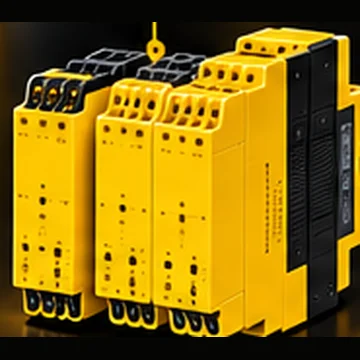 15Safety relay or safety controllerMonitors safety devices and stops robotPILZSchneider ElectricOMRONSIEMENSABB
The unit that reads the door switches, E-stops and light curtains and cuts the power or sends a safe stop to the robot.
What to check when you choose it
- Safety relay (fixed function, few inputs) or a configurable safety controller or safety PLC for many devices
- Performance level and category (ISO 10218 commonly asks for PL d, category 3 for robot cell safety functions; confirm in your risk assessment)
- Dual-channel inputs with cross-fault and short-circuit detection
- Manual or automatic reset, and a start-up test
- Stop category of the outputs
- Connection to the robot’s safety inputs, or safe fieldbus (PROFIsafe, CIP Safety, FSoE)
Standards: ISO 13849-1, IEC 62061, IEC 60204-1
Signalling and wiring
Status lights and the cable routes that connect everything.
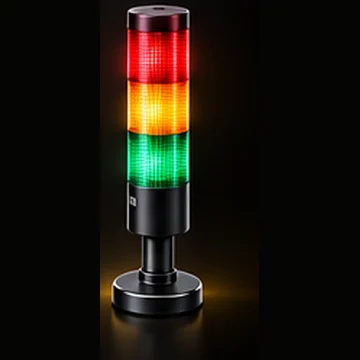 16Stack lightIndicates system status (Run / Fault / E-Stop)PATLITEWERMASchneider ElectricOMRON Qlight
A tower of coloured lamps that shows the state of the cell from a distance: running, stopped, fault or waiting for the operator.
What to check when you choose it
- Colours by meaning: red for emergency or danger, yellow for an abnormal condition, green for normal, blue for an action the operator must take, white for neutral (IEC 60204-1)
- Steady or flashing, and an optional buzzer
- 24 V DC supply and mounting height for visibility
- Protection rating for the environment
- Keep the meaning the same on every machine in the plant
Standards: IEC 60204-1, IEC 60073
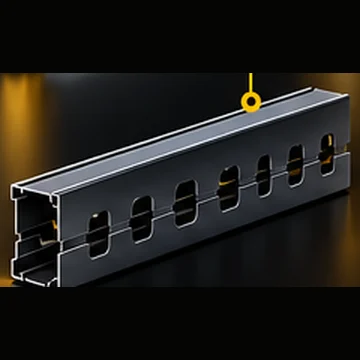 17Cable ductFor routing sensor cablesHellermannTytonigusPANDUITlegrand
A metal or plastic channel that carries sensor and safety cables along the fence or floor.
What to check when you choose it
- Keep safety cables separate from power and drive cables
- Mount where it cannot be knocked, trodden on or reached by the robot
- Do not cut openings in the fence for cables without checking the opening against ISO 13857
- Room for the number of cables with spare space
- Sealing and protection rating for the plant
Standards: IEC 60204-1
Check Your Numbers
Four quick checks from the standards. They give a minimum. Your risk assessment can ask for more, and a competent person must confirm the final design.
A. Opening in the fence: how far from the hazard?
ISO 13857 table for reaching through a regular opening (adults). Enter the size of the mesh opening, or a gap such as a cable slot, to find the least distance between the fence and the nearest hazard.
B. Guard height: reaching over the fence
ISO 13857 table for high-risk hazards. Enter the height of the hazard above the floor and the height of the fence to find the least horizontal distance between them.
C. Light curtain: how far from the hazard?
ISO 13855, for a person walking or reaching straight into the curtain (not along it). S = K × T + C.
D. Does the gate need a lock?
A gate without a lock is only enough if the machine stops before a person can reach it. ISO 14119 asks you to compare the time to stop with the time to get at the hazard. Walking speed is taken as 1600 mm/s in ISO 13855.
Design Checklist
Tick each point as you settle it. It is a memory aid and not a certified assessment, so nothing is saved when you leave the page.
Risk and layout
Guards
Access
Safety devices
Wiring and signals
Handover
Regulations and Standards
Standards describe how to meet the law. The law depends on where the machine is built, sold and used. Check the current edition of each standard before you design, because they are revised.
| Standard | What it covers | What it gives you |
|---|---|---|
| ISO 12100 | Risk assessment and risk reduction for machinery | Start here. It sets the process: find the hazards, estimate the risk, reduce it, record it. |
| ISO 14120 | Guards: general design and construction of fixed and movable guards | The rules for the fence itself: fixing, strength, openings, and when a guard must be interlocked. |
| ISO 13857 | Safety distances to stop the upper and lower limbs reaching hazard zones | The mesh opening, guard height and distance tables used in calculators A and B. |
| ISO 13855 | Positioning of safeguards with respect to the approach speeds of body parts | The light curtain distance S = K × T + C in calculator C. |
| ISO 14119 | Interlocking devices associated with guards | Door switch types, coding levels, guard locking, defeat prevention. |
| ISO 13849-1 and IEC 62061 | Safety-related parts of control systems: performance level (PL) and safety integrity level (SIL) | Sets how reliable the interlock, relay and stop functions must be. |
| ISO 13850 | Emergency stop function | What an E-stop must do and what it must not do. |
| IEC 60204-1 | Electrical equipment of machines | Wiring, stop categories, colours of buttons and lamps. |
| IEC 61496 series | Electro-sensitive protective equipment (light curtains and scanners) | Types 2 and 4, and how a curtain or scanner is tested. |
| ISO 10218-1 and ISO 10218-2 (2025) | Safety requirements for industrial robots, and for robot applications and cells | The robot standard. The 2025 editions replaced the 2011 editions and bring in the content of ISO/TS 15066 for collaborative applications. |
| ISO 13854 | Minimum gaps to avoid crushing of parts of the human body | Why 500 mm is kept free for the body, and the smaller gaps for the limbs. |
| ISO 14118 | Prevention of unexpected start-up | Lock-out and the energy isolation for maintenance. |
| ISO 7010 | Graphical symbols: safety signs | The warning signs at each entry. |
By region
European Union
Machines are CE marked under the Machinery Directive 2006/42/EC. Regulation (EU) 2023/1230 replaces it and applies from 20 January 2027. The standards above are the usual way to show compliance.
India
The Factories Act, 1948, section 21 requires dangerous parts of machinery to be securely fenced. The fencing must be of substantial construction, constantly maintained and kept in position while the machinery is moving or in use. State governments can add rules. I could not confirm a standard written for robot cells in India, so designers usually follow the ISO and IEC standards above. Check with your safety officer and with BIS for the current IS numbers.
United States
OSHA machine guarding rules (29 CFR 1910.212 and the other 1910 subpart O parts) and lock-out and tag-out (1910.147) apply. Industrial robot safety usually follows the ANSI/A3 R15.06 standard, which is based on ISO 10218.
What to ask your customer
Ask which country the machine will be used in, which standards the customer demands, and whether they need a risk assessment report, a safety validation report or a declaration of conformity. Their requirement often goes beyond the minimum law.
Brands to Approach for Purchase
These are the brands on your guide image, grouped by what they supply. Ask each for a quotation with the drawing, the risk assessment result and the performance level you need. Ask about local stock, lead time, certificates (test reports for the guard, TÜV or similar for the safety parts) and support in your region. Mixing makers is fine for door hardware and fixings. For panels, posts and clamps, one system is easier to certify.
| Component | Brands to approach | Notes |
|---|---|---|
| Fence panels and posts | SATECHTROAXitemSchmersalMISUMInVent HOFFMAN | Complete guard systems with panels, posts and clamps from one maker |
| Panel clamps, base plates, post caps, door stoppers | itemMISUMISATECH | Accessories that fit their own post |
| Polycarbonate panels | TROAXSATECHitemnVent HOFFMANMISUMI | Often sold with the fence system |
| Hinges and handles | SOUTHCOEMKAROCAitem | Heavy-duty hardware for guard doors |
| Anchor bolts | HILTIfischerSORMAT | Anchors with design data and software |
| Door locks and interlocks | SCHMERSALEUCHNERPILZOMRON | Coded and guard-locking switches |
| E-stops | Schneider ElectricOMRONABBSIEMENSIDEC | Pushbuttons to IEC 60947-5-5 |
| Light curtains | SICKOMRONKEYENCELeuzePanasonicSchmersal | Type 2 and type 4 curtains |
| Laser scanners | SICKOMRONKEYENCELeuze | Configurable fields |
| Safety relays and controllers | PILZSchneider ElectricOMRONSIEMENSABB | From simple relays to safety PLCs |
| Stack lights | PATLITEWERMASchneider ElectricOMRON Qlight | Signal towers |
| Cable ducts | HellermannTytonigusPANDUITlegrand | Cable management |
Brand names and logos belong to their owners and are shown only to point you to catalogues. This list is not a recommendation or a complete list of makers.
Sources
Figures in the calculators and in section 06 were checked against these pages in October 2026. Standards are paid documents, so confirm any value against the current edition before you rely on it.
ISO 13857 tables
Opening table and reaching-over table, as printed by Axelent and Troax (both guard makers).
ISO 13855 formula
Keyence safety knowledge page for K, C and the 500 mm rule.